
Welcome to Conejo Recreation and Park District
Please join us for our regularly scheduled Board of Directors meeting on Thursday, April 18 at 6:00pm. Please click on the Zoom link to tune in! https://us02web.zoom.us/j/85071127012



Upcoming Events
Yearly Monthly Weekly Daily List Grid Tile
Events for April
1st
No Events
Events for April
2nd
No Events
Events for April
3rd
No Events
Events for April
4th
No Events
Events for April
5th
No Events
Events for April
6th
No Events
Events for April
7th
No Events
Events for April
8th
No Events
Events for April
9th
No Events
Events for April
10th
No Events
Events for April
11th
No Events
Events for April
12th
No Events
Events for April
13th
No Events
Events for April
14th
No Events
Events for April
15th
No Events
Events for April
16th
No Events
Events for April
17th
No Events
Events for April
18th
No Events
Events for April
19th
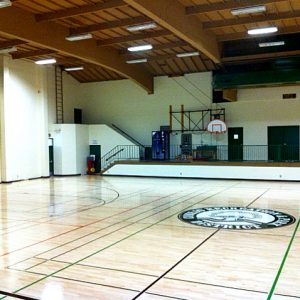
10:30 am - 1:30 pm
TOC Friday Open Badminton
Thousand Oaks Center (TOC)
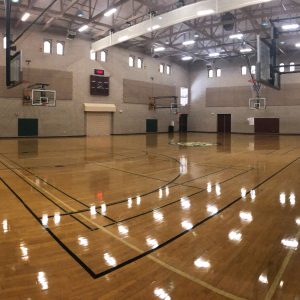
4:00 pm - 6:00 pm
DVC Friday Open Volleyball
Dos Vientos Center (DVC)
6:00 pm - 9:45 pm
TOC Friday Open Volleyball
Thousand Oaks Center (TOC)
Events for April
21st
12:00 am - 7:30 pm
Lifeguard Training
Community Pool at CLU
8:00 am - 11:30 am
TOC Sunday Open Basketball
Thousand Oaks Center (TOC)
11:30 am - 3:30 pm
TOC Sunday Open Badminton
Thousand Oaks Center (TOC)
12:00 pm - 3:15 pm
DVC Sunday Open Volleyball
Dos Vientos Center (DVC)
Events for April
22nd
All Day
Summer In-District Registration Opens
10:30 am - 12:30 pm
TOC Monday Open Badminton
Thousand Oaks Center (TOC)
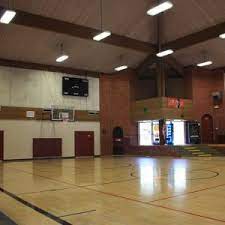
7:00 pm - 9:45 pm
BOC Monday Open Volleyball
Borchard Center (BOC)
Events for April
24th
10:30 am - 1:30 pm
TOC Wednesday Open Pickleball
Thousand Oaks Center (TOC)
11:30 am - 2:00 pm
BOC Wednesday Open Badminton
Borchard Center (BOC)
6:30 pm - 9:15 pm
DVC Wednesday Open Badminton
Dos Vientos Center (DVC)
7:00 pm - 9:45 pm
BOC Wednesday Open Basketball
Borchard Center (BOC)
Events for April
25th
No Events
Events for April
26th
10:30 am - 1:30 pm
TOC Friday Open Badminton
Thousand Oaks Center (TOC)
4:00 pm - 6:00 pm
DVC Friday Open Volleyball
Dos Vientos Center (DVC)
6:00 pm - 9:45 pm
TOC Friday Open Volleyball
Thousand Oaks Center (TOC)
Events for April
27th
No Events
Events for April
28th
8:00 am - 11:30 am
TOC Sunday Open Basketball
Thousand Oaks Center (TOC)

8:00 am - 1:00 pm
Community Garage Sale
Goebel Adult Center
11:30 am - 3:30 pm
TOC Sunday Open Badminton
Thousand Oaks Center (TOC)
12:00 pm - 3:15 pm
DVC Sunday Open Volleyball
Dos Vientos Center (DVC)
Events for April
29th
9:00 am
Summer Out-of-District Registration
10:30 am - 12:30 pm
TOC Monday Open Badminton
Thousand Oaks Center (TOC)
7:00 pm - 9:45 pm
BOC Monday Open Volleyball
Borchard Center (BOC)
Events for May
1st
10:30 am - 1:30 pm
TOC Wednesday Open Pickleball
Thousand Oaks Center (TOC)
11:30 am - 2:00 pm
BOC Wednesday Open Badminton
Borchard Center (BOC)
6:30 pm - 9:15 pm
DVC Wednesday Open Badminton
Dos Vientos Center (DVC)
7:00 pm - 9:45 pm
BOC Wednesday Open Basketball
Borchard Center (BOC)
Events for May
2nd
6:00 pm - 9:00 pm
Board of Directors Meeting
Hillcrest Center (CRPD Administrative Offices)
Events for May
3rd
All Day
Returning Staff Paperwork Deadline
Community Pool at CLU
10:30 am - 1:30 pm
TOC Friday Open Badminton
Thousand Oaks Center (TOC)
4:00 pm - 6:00 pm
DVC Friday Open Volleyball
Dos Vientos Center (DVC)
6:00 pm - 9:45 pm
TOC Friday Open Volleyball
Thousand Oaks Center (TOC)
Events for May
5th
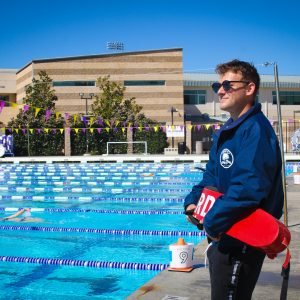
12:00 am - 7:30 pm
Lifeguard Training
Community Pool at CLU
8:00 am - 11:30 am
TOC Sunday Open Basketball
Thousand Oaks Center (TOC)
11:30 am - 3:30 pm
TOC Sunday Open Badminton
Thousand Oaks Center (TOC)
12:00 pm - 3:15 pm
DVC Sunday Open Volleyball
Dos Vientos Center (DVC)
In the Spotlight
Conejo Recreation and Park District


Financial Assistance

Play Conejo